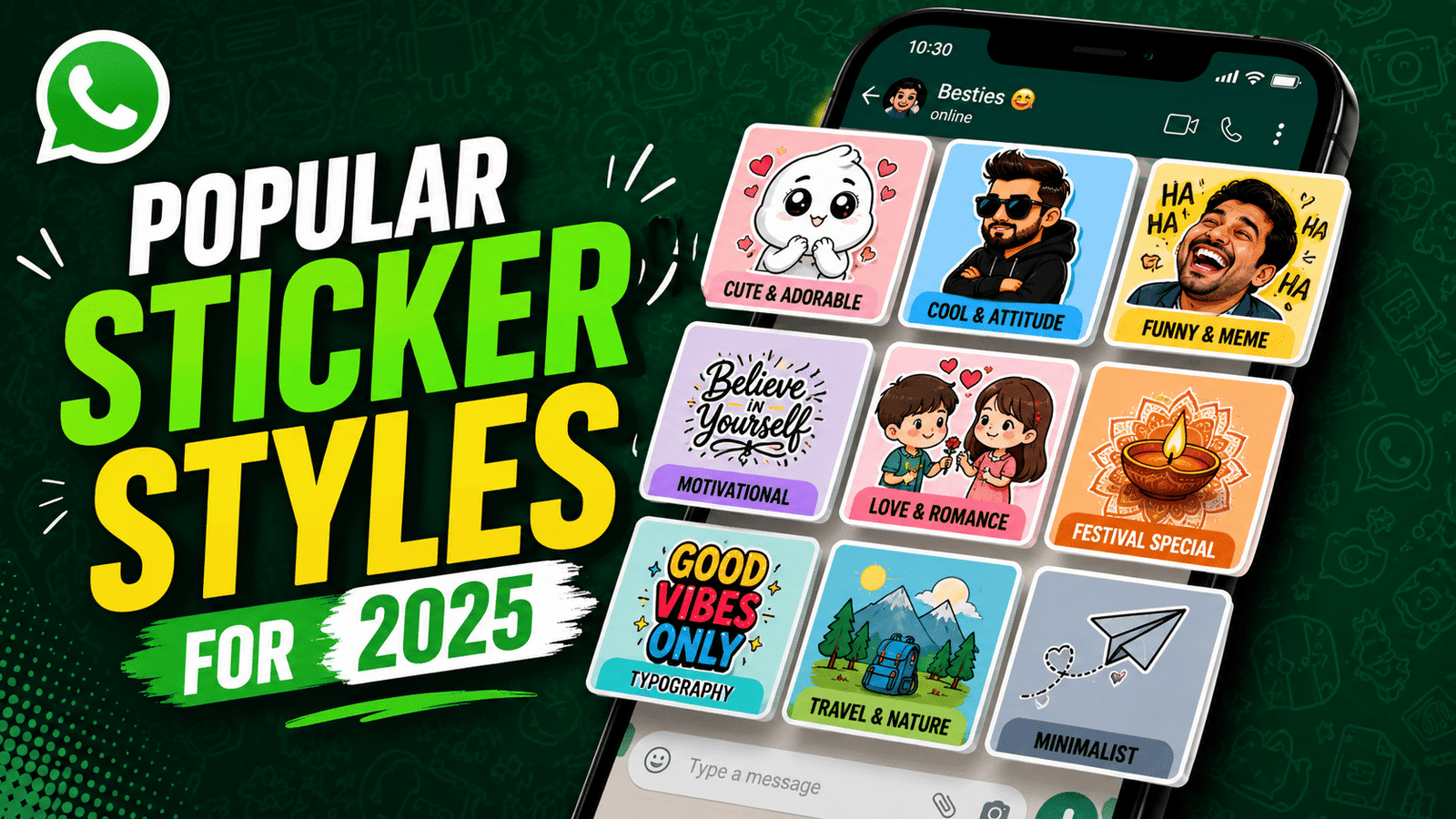
Hello friends, today we are going to look at something small but very powerful in daily chats, trending WhatsApp stickers. If your friends keep sending funny or aesthetic stickers that you do not have, it can feel like you are always replying late or with boring emojis. This guide will help you catch up and make your reactions stand out.
In this article you will learn how to discover the latest popular sticker packs safely, how to use the built in sticker store, and how to create your own packs from photos or memes. You will also see common mistakes that fill up storage, slow down chats, or risk shady downloads from unknown sources.
This guide is for casual users who just want some fresh reaction stickers, as well as creators who want to design custom packs for a friend group, a brand, or a small community. If you manage social media or run a small business, you will also find ideas on how trending WhatsApp stickers can quietly support your branding and support conversations with customers.

We will stay close to the official WhatsApp features, plus a few trusted third party tools that are commonly used on Android and iOS. Steps can look slightly different depending on your phone model and app version, so take them as a roadmap, not rigid rules. By the end you should be able to pick good sticker packs, avoid risky ones, and even publish a simple pack yourself.
Related Resource
The Whatsapp Stickers button above opens the related resource for Trending whatsapp stickers. It is included so readers can reach the mentioned page directly.

What Makes A Sticker Pack Trend On WhatsApp
Not every cute image becomes a hit. Packs that trend usually match a mood or event, for example festival greetings, a big sports tournament, new movie or series characters, or a viral meme template. Many users also like clean reaction faces, short text bubbles, and stickers that work in many contexts, such as confused face, slow clap, or polite no.
Regional culture is very important. In India you might see festival and cricket themed stickers trending, while in Latin America football reactions and slang text stickers spread fast. When you search for trending WhatsApp stickers, try looking in your own language and city as well as in English to find packs that really fit your daily conversations.
How To Find Trending WhatsApp Stickers In The App
WhatsApp has a basic discovery section that many people ignore. It does not list every viral pack, but it is safer than random download links and usually highlights popular sets that match current events.
Steps to find new stickers inside WhatsApp
- Open any chat and tap the emoji icon near the message box.
- Switch to the sticker tab, usually a small square icon at the bottom.
- Tap the plus icon which opens the official sticker store.
- Check the featured or popular section for current packs.
- Tap download next to any pack you like, then test it in a chat.
This is the safest starting point because all packs are approved by WhatsApp. The downside is that it might not include very niche memes or regional joke packs that spread on social media.
Using Third Party Apps For Trending WhatsApp Stickers
Most people discover fresh sticker sets through third party apps. There are many such apps on the Google Play Store and Apple App Store that collect trending WhatsApp stickers in categories like memes, romantic, anime, festival, or gaming. The quality and safety vary a lot, so you need to be a little selective.
Look at the rating, recent reviews, last updated date, and total downloads. Avoid apps that are overloaded with ads, ask for strange permissions, or push you to download from external websites. If you only want a few packs, it is better to install one cleaner app rather than five different ones that all sync stickers to WhatsApp and fill your storage.
Real World Examples Of Trending Sticker Use
Example one, a cricket match night group chat. As soon as a player misses an easy catch, one friend sends a pack of funny shocked face stickers wearing team jerseys. The sticker is used again every time something surprising happens, and the pack spreads to two or three other groups that same night. Here the perfect timing and local context make the pack trend.
Example two, a small bakery uses branded stickers that show cute bread characters with text like Fresh batch is here or On the way to you. Customers who enjoy the style share the pack in family groups and keep using it for food conversations, which gives the bakery constant friendly visibility without paid ads.
Case Study: Creating A Simple Viral Pack For A Friend Group
Imagine a college group where one friend has very expressive facial reactions. Someone decides to turn these faces into stickers. They collect five or six clear screenshots, crop the background, add short text like Seriously or Last minute again and then export the set as a sticker pack.
The pack is added by ten friends and quickly becomes the default reaction language in their chats. A few of them share it into project groups and club chats and suddenly those stickers are everywhere on campus. This is a small scale example yet it shows how personal and inside joke style stickers can trend within a community without ever appearing in official lists.
How To Create Your Own WhatsApp Sticker Pack
Most creation apps follow a similar flow. Names may differ slightly, but the overall idea does not change much. Here is a neutral step by step outline you can adapt to your preferred app on Android or iOS.
Step by step workflow
- Install a well rated sticker maker app from the official store, check reviews and screenshots first.
- Pick Create new pack and give it a clear name so you can find it later.
- Add at least three images, crop them to a square or free shape and remove the background if the tool allows.
- Add short readable text if needed, avoid long sentences because they look messy in chat.
- Save the pack, then tap Add to WhatsApp inside the app and confirm when WhatsApp opens.
- Open a chat, go to the sticker tab and test your new creations with a friend.
If the app asks for access to your full contact list or files in a way that does not match its function, cancel and pick another one. A simple creation tool usually needs access to photos and storage and maybe camera if you create content directly, nothing more.
Managing Storage And Privacy With Stickers
Sticker packs look tiny, but over time they can add up. Old memes, festival sets from last year, and random packs that friends sent can take space and slow down the sticker panel. Once every few months open the sticker section, tap the plus icon and use the My stickers or similar tab to remove packs you do not use any more.
Never download sticker packs from random files sent on social media or through direct links that ask you to sideload unknown apps. Stickers shared inside WhatsApp chats are fine, but external APKs or files from unofficial sites are risky and can introduce malware, especially on Android. If a pack is worth using, it should either be in the official store or in a trusted app store.
Conclusion
Trending WhatsApp stickers are a small detail that can change how your chats feel. The best approach is usually a mix of safe official packs, one or two trusted collection apps, and a simple creator tool for personal memes or branding. This balance keeps your stickers fresh without turning your phone into a slow, ad filled mess.
Start by cleaning old packs, then add a few popular sets relevant to current events or your region. After that, try building one small custom pack for your main friend group or for your customers if you handle a business account. Watch how often people use and share it, then refine your next pack based on those reactions.
FAQ
How do I know which WhatsApp stickers are trending right now
Check the featured section in the WhatsApp sticker store, look at top rated sticker apps in your region, and see what your friends repeatedly send in active groups.
Are third party sticker apps safe
Apps from the official stores with good ratings and recent updates are usually fine. Avoid apps with many complaints about ads, strange permissions, or forced external downloads.
Why are my stickers loading slowly in chats
Too many packs, low storage, or an older phone can slow the sticker panel. Remove unused packs, clear cache, and keep WhatsApp updated to improve performance.
Can I move my sticker packs to a new phone
Official packs can be re downloaded from the store. Custom packs from apps sometimes need to be exported again or recreated, depending on how the app handles backups.
Is there a limit on how many stickers I can add
There is no fixed visible limit, but loading too many packs will make scrolling harder and may slow the app. It is better to keep only the sets you actually use.
Thank you for reading this guide on trending WhatsApp stickers. If you found it useful, stay connected with our blog for more latest tech news, practical app tips, AI tools, and simple how to tutorials for everyday users.