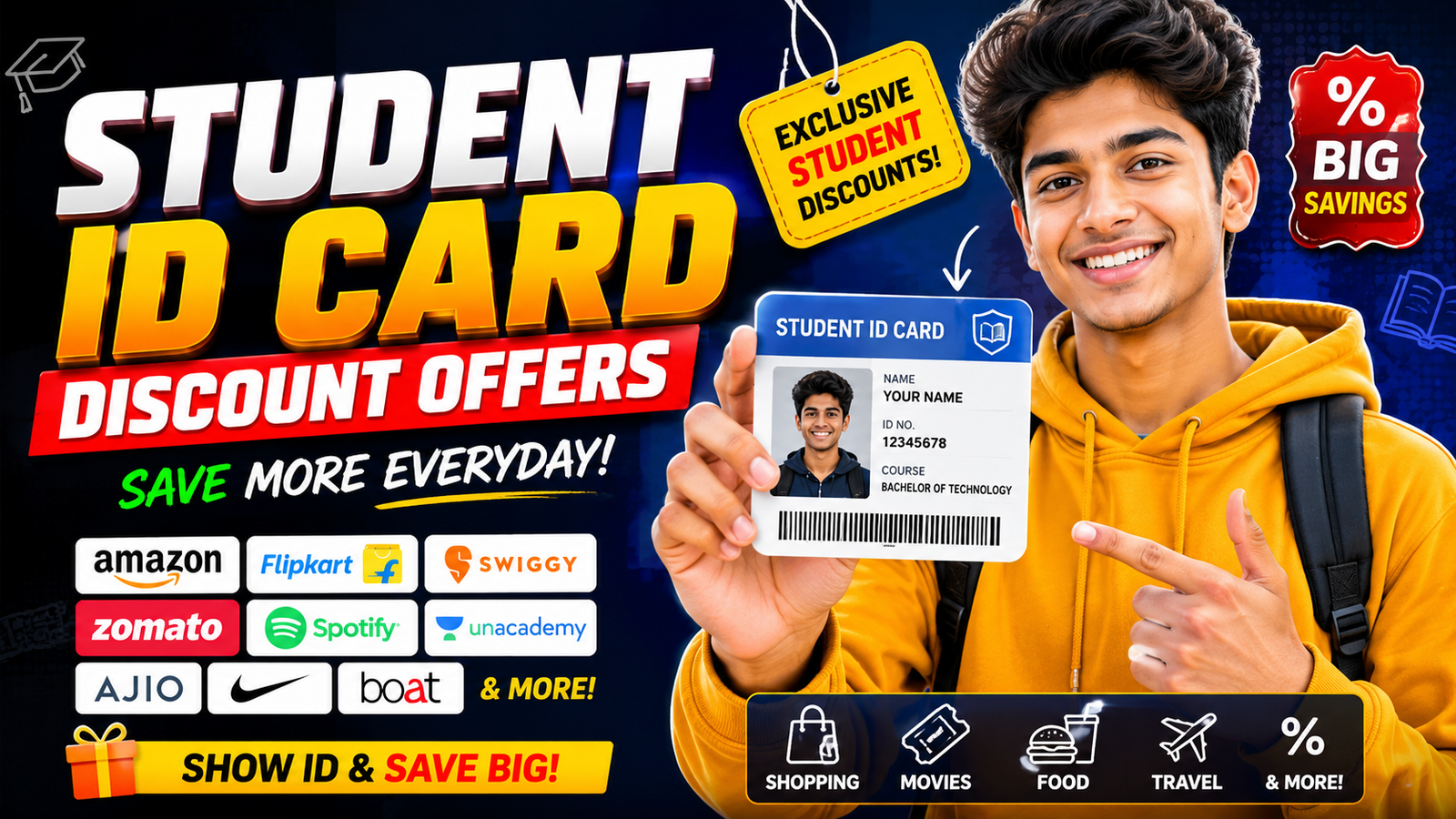
Most students use their ID card only for exams, library entry, or college gates. Yet that same card can cut your costs on travel, food, online courses, and even your next phone or laptop if you know where to look and how to use apply links safely.
This guide walks through how student ID card discounts usually work, how to apply for offers online, how to read and use discount links safely, and what to double check before entering your personal data anywhere.
1. What You Can Actually Get With a Student ID Card
Before chasing any link, it helps to know the realistic types of discounts most students qualify for. Exact offers depend on your country and institution, but commonly include:
- Public transport and travel: Reduced fares on buses, metro, trains, sometimes domestic flights. Many railway and metro services offer student concession passes.
- Online learning and software: Discounts or free access to tools like Microsoft 365 Education, Google Workspace for Education (via your institute account), coding platforms, or design tools.
- Streaming and apps: Student plans on services like Spotify, Apple Music, or other local music/video apps, usually after student verification.
- Shopping and food: Percentage off in selected clothing stores, cafes, fast food chains, and bookstores around campuses or via online coupon platforms.
- Electronics and phones: Educational pricing on laptops, tablets, and sometimes mid range phones, especially during back to school sales.
Most of these deals require proof that you are an active student. That proof is your student ID card, a valid admission letter, or a verified student email ID (for example, ending with .edu or your college domain).
2. How Online Apply Links for Student Discounts Usually Work
When you see a Student Discount Apply button or link, it usually leads to one of these:

- Official brand page: For example, a laptop brand’s education store asking you to upload a student ID or verify via a partner like UNiDAYS.
- Verification platform: A third party service that checks your student status and then gives you a coupon code or access link.
- College/institute portal: Your university’s portal where you log in to access travel concessions, exam fee discounts, or library cards.
- Informational document or form: A Google Doc, Google Form, or PDF listing steps, required documents, and contact details.
All of them need you to share personal data. That’s why your first job is not to fill the form it’s to verify that the link is genuine and necessary.
3. Before You Click: Safety Checks for Any Apply Link
Many students blindly trust any link that mentions a huge student discount. That’s how data gets leaked or misused. Do these checks every time:
- Check the domain name: Prefer links from official college sites, known brands, or well known student platforms. Be careful with random blogs or short URLs that hide the full address.
- Look for HTTPS: The address bar should start with https://. This doesn’t guarantee honesty, but it is a basic security requirement.
- Search the offer name independently: Open a new tab and search Brand name + student discount + official. If the same offer appears on the brand’s website, it’s more trustworthy.
- Avoid sharing sensitive ID numbers: Student ID number is usually okay. But be careful if the form asks for government ID numbers (like national ID, Aadhaar, SSN, passport) unless it’s clearly a government or official university form you recognize.
- Check for grammar and design quality: Many scam pages look rushed, with spelling errors or poor layout. An ugly page isn’t always fake, but it’s a warning sign and needs extra verification.
If anything feels off, stop. It’s better to miss one small discount than risk your identity data for years.
4. About the Provided Student Discount Google Docs Link
You mentioned a specific Google Docs link for student ID card discount offers:
https://docs.google.com/document/d/113r96V_nGSXj_pLn5LuX1PnUwX7Lnd_A7ji92ZKE0 s/edit?usp=drivesdk
This appears to be a document, not an official brand or government portal. That doesn’t automatically make it bad, but it does mean you need to treat it as an unverified source and confirm details yourself.
- Check if the document clearly mentions the issuing organization, college, or official body.
- Cross check any offers it lists by searching on the official websites (for example, the bus corporation or laptop brand).
- Do not upload government ID scans directly to random email IDs or numbers listed in a document without independent confirmation.
Use such documents only as a reference list. Always complete the actual application steps on known official portals whenever possible.
Official App Listing
The view guide document button opens a third-party file or document page related to Student ID Card Discount Offers Apply Link. Review the owner, sharing status, and file type before copying, installing, or entering private information.
5. Step by Step: Applying for a Student Discount Offer Online
Once you’ve confirmed a link or portal is legitimate, the application flow is usually similar. Here’s a common pattern you can adapt to most offers:
Step 1: Collect your documents
Keep clear photos or scans ready (on your phone or laptop):
- Your student ID card (front and back).
- Recent passport size photo (if required).
- Admission letter or current semester fee receipt (some portals ask this as proof that you’re still enrolled).
- Government ID only if it’s clearly required by your college or a government service.
Step 2: Open the official application page
Use one of these flows:
- From your college portal: log in with your student credentials.
- From a brand website: go to their student discount or education store section from the main navigation or footer.
- From an email or document: type the site name manually into your browser and navigate from there instead of blindly clicking short links.
Step 3: Fill in only what is needed
Typical fields include:
- Name as per your college records.
- College/university name and city.
- Course and year (e.g., B.Sc. 2nd year).
- Enrollment or roll number.
- Student email ID, if you have one.
Avoid filling unrelated fields like monthly family income or PAN / tax ID unless it’s clearly an official scholarship or government concession form.
Step 4: Upload documents clearly
When uploading ID photos:
- Use natural light and make sure the card is fully visible, not cut off.
- Blur or cover any unrelated sensitive numbers if they are not requested.
- Do not upload the same photo on public social media keep it for secure forms only.
Step 5: Submit and keep a record
After submitting:
- Note any application ID or reference number on your phone or notebook.
- Take a screenshot or save a PDF summary, especially for government or transport concessions.
- Watch your email (including spam folder) for approval messages or discount codes.
6. How to Redeem Student Discount Offers in Real Life
After your application is approved, discounts are usually applied in one of three ways:
- Coupon code: You get a unique code to enter at checkout on a website or app.
- Verified account: Once your student status is confirmed, your login automatically shows lower student prices.
- Physical pass or certificate: For buses, trains, or local travel, you may receive a printed card or a digital pass that you must show along with your student ID during travel.
Always carry your original student ID card when using travel or offline discounts. Staff often ask to see it even if you have a concession ticket or QR code.
7. Common Mistakes Students Make With Discount Links
A few errors cost students time, money, or data. Watch out for these:
- Trusting screenshots more than websites: Just because someone shared a screenshot of 90% off for students on WhatsApp doesn’t mean the offer exists. Always confirm on the official website.
- Missing the eligibility window: Some offers are limited to new admissions or a specific age range. Check eligibility lines carefully.
- Using personal email instead of student email: If a service supports verification via college email, it’s usually easier and quicker than uploading documents.
- Re using the same code for friends: Many codes are one time and tied to your account. Sharing them can violate terms and may ban your student access.
- Ignoring renewal dates: Some student verifications expire yearly. Set a reminder to renew, especially for music streaming or software licenses.
8. Tips for Mobile First Students (Phones, Storage, and Battery)
Most students today apply and show IDs from their phones. A few practical tips:
- Save PDFs offline: For train or bus concession forms, download the PDF to your phone so you can show it without network, especially in areas with poor signal.
- Avoid heavy junk apps: Cheap phones in the Redmi Note, Galaxy A, or Moto G series can slow down if you fill them with random coupon apps. Use only 1 2 trusted apps for student deals instead of 10 spammy ones.
- Keep screenshots organized: Create a Student Docs album for your ID, fee receipts, and approval letters so you can quickly find them at a counter.
- Watch battery during travel: If you rely on digital passes, keep at least 20 30% battery before travel or carry a small power bank. A dead phone can mean paying full fare.
9. FAQ: Student ID Card Discount Offers and Apply Links
Do all colleges provide student discounts?
No. Some discounts come directly from your institute, others from external brands. Even if your college doesn’t advertise offers, you can still use independent student platforms and brand programs.
Can I use an expired student ID card?
Usually no. Most offers require you to be a current student. Some systems may not immediately detect expiry, but using an expired card can violate terms and may be treated as misuse.
Is it safe to upload my student ID card to a website?
It can be safe if the site is official and known. Always verify the URL, read basic terms, and avoid uploading IDs to random forms or unknown email addresses.
Why was my student discount application rejected?
Common reasons are unclear ID photos, mismatched names, outdated documents, or ineligibility (wrong age, course, or region). Check the rejection email and reapply with corrected details if allowed.
Can school students (not college) get discounts too?
Yes, many transport and some shop discounts apply to school